Product Pack
List of Content
- Preface. Background of Foodly Theme Development 0
- Marketing. Foundation of Selling Online 1
- Content. Key to More Sales & Profit 2
- Audience. Backbone of Personalized Shopping Experience 3
- Conversion Rate. Foundation to Estimation of Success 4
- Getting Started with Foodly Theme 5
- Setting Up Navigation 6
- Working with Products 12
- Managing Collections 24
- Handling Pages 29
- Running Blog 36
- Processing Gift Card 44
-
Adjusting Theme Settings
45
- Adjusting Theme Settings
- Presents
- Colors
- Typography
- Header
- Footer
- Home Page Slideshow
- Home Page
- Product Page
- Shopping Cart
- Collection Page
- Blogs
- Contact Page
- 404 page and password page
- Wishlist
- Search
- Landing page
- Subscription of Your Store
- Notification button
- Shipping Rates Calculator
- Currency
- Checkout
- Setting Up Third-party Tool 67
- Acknowledgment 74
Product Pack
Product packs are a part of the promo campaign example that is implemented in Landing page. Occasionally, it is useful to run such campaigns that offer various coupons, discounts and deals. Such measures keep your business on track attracting clients to your products. That's why we recommend to check a review of the pros and cons of offering deals for your online store reading this Shopify blog post. If you would like to run some of those campaigns you need to try offering your clients different product packages that combine special-purpose fruit and vegetables.
Here's how you can to add such product pack to your online store:
- Add the new product as described in the earlier instruction.
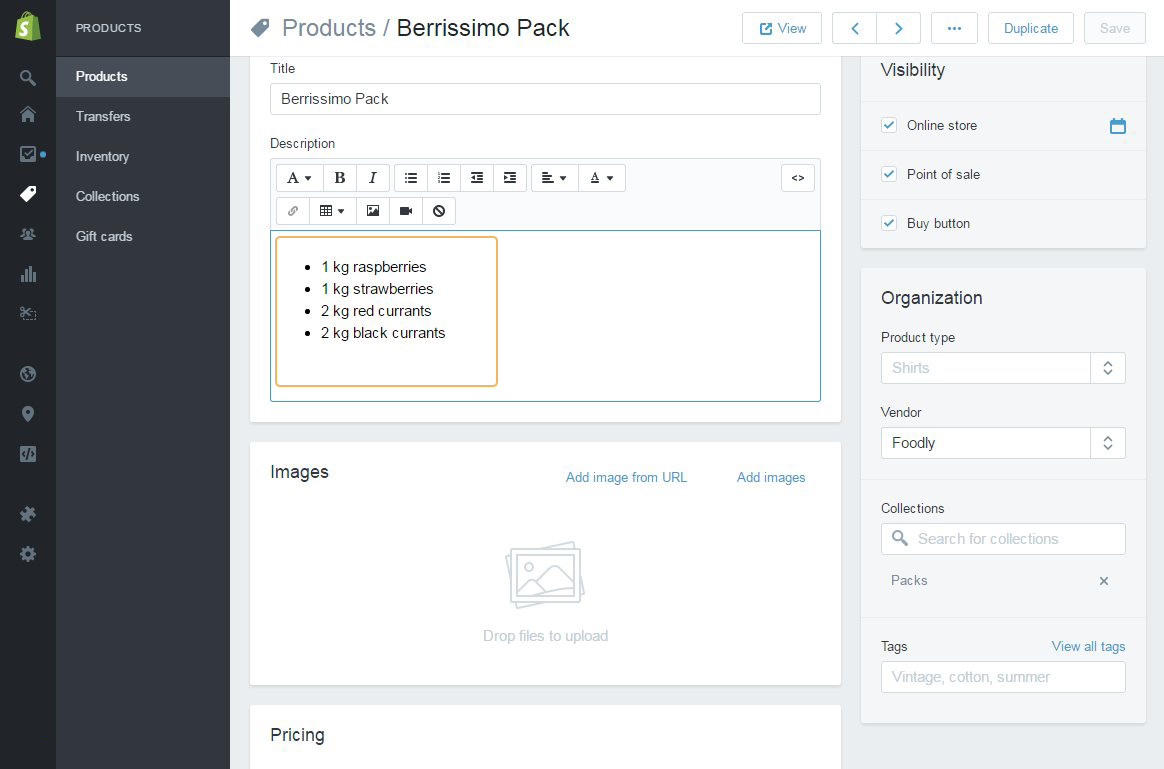
- Add the name for pack, the list of products as shown in Figure 3.35, set price for pack, add shipping information, tags if necessary or image
- Save pack
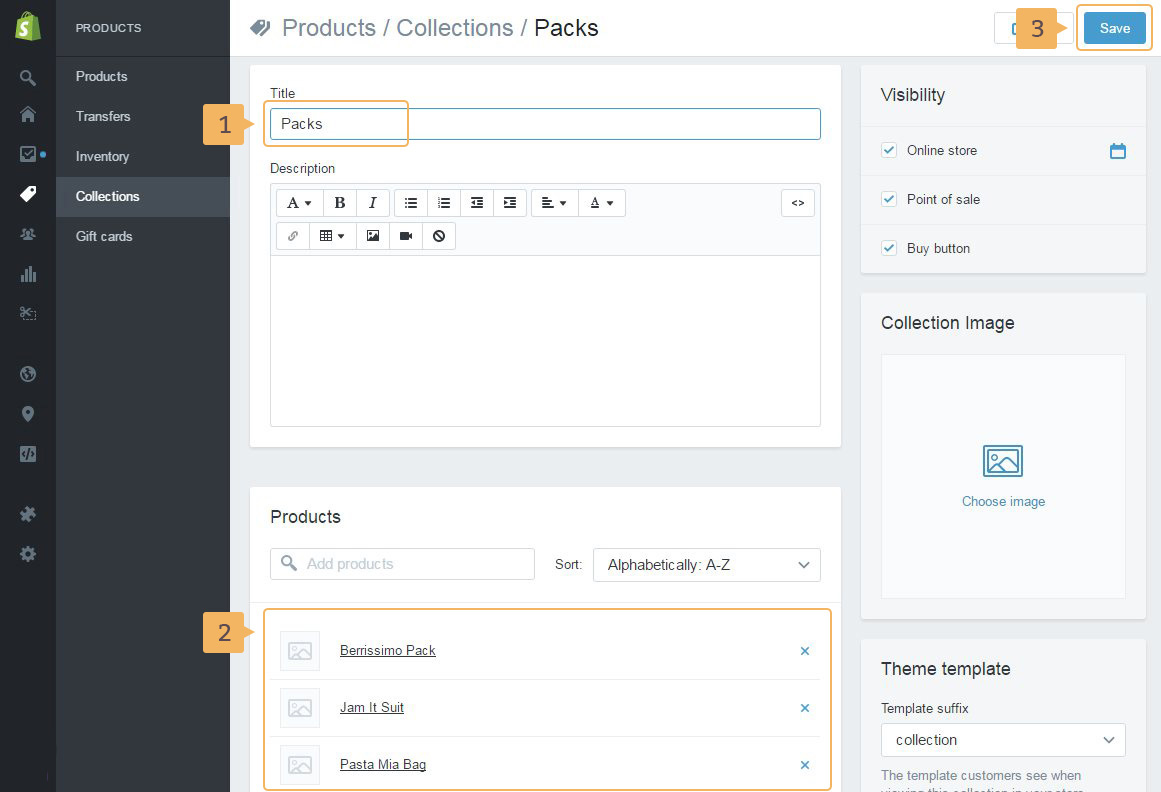
- Create a new collection as was described (previous section of this paper)
- Type the name (Fig. 3.36 - [ 1 ]), add pack products (how to manually add products in collection) (Fig. 3.36 - [ 2 ])
- Save collection (Fig. 3.36 - [ 3 ])